Step One
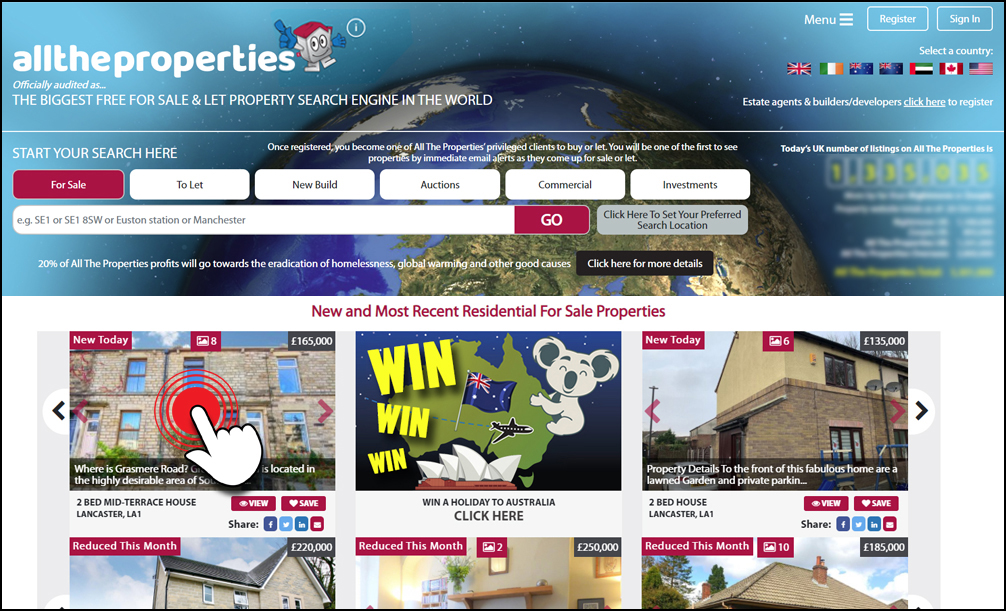
Click on any residential property that you see on our site that is for sale
or to let.
Step Two
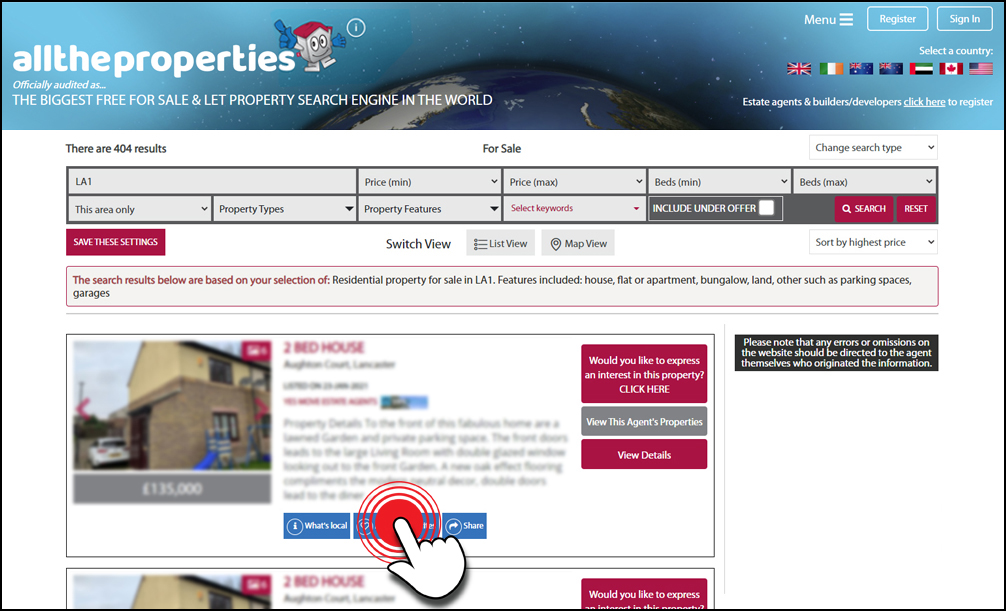
On the property result profile you will find a blue ‘Add to favourites’ button.
Click on this button to save the property and a pop up message will appear, see the next step.
Step Three (If not registered or logged in)
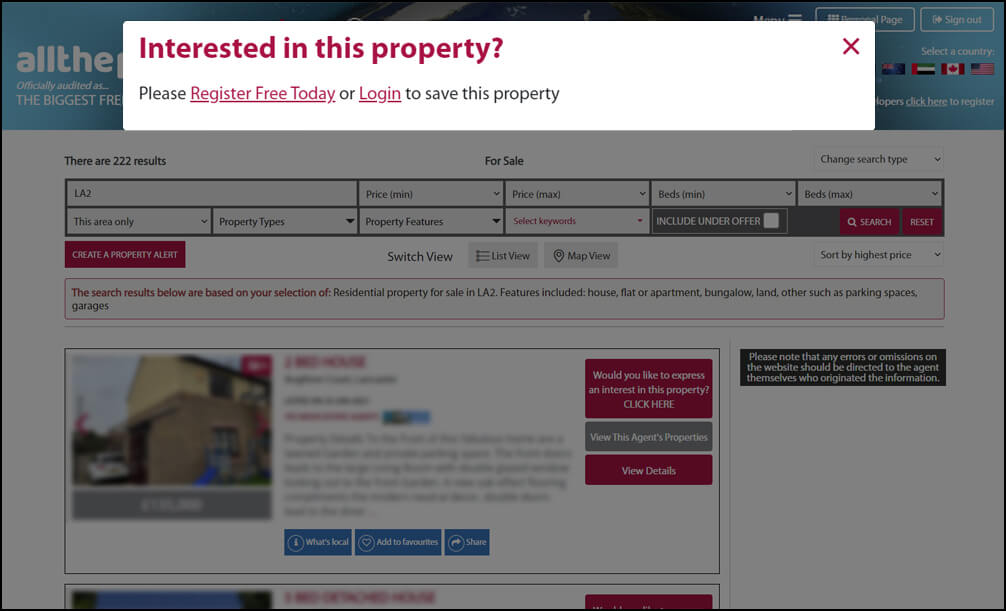
A pop up message will appear and if you are not registered or logged into your account it will ask you to either register or login to save this property.
Step Three (If you are logged in)
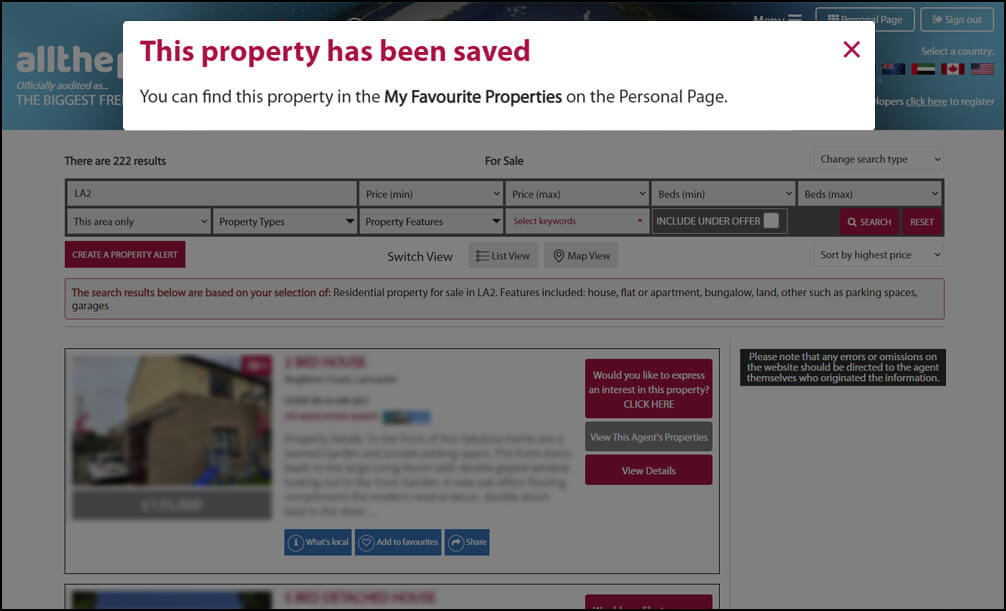
A pop up message will appear informing you that the property has been saved if you are registered and you are logged into your account.
Step Four
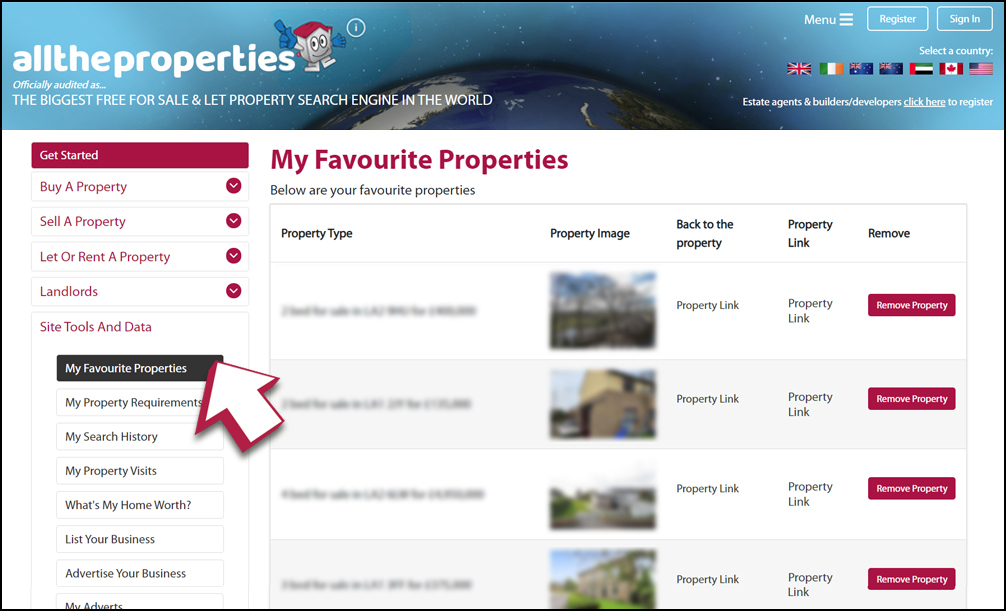
Your saved properties can be found in your ‘Personal Page’ area under the ‘Site Tools And Data’ tab and is labelled ‘My Favourite Properties’ in the left hand side menu.