Looking for property sold prices?
If you would like to find out the sold prices of other properties or comparable properties to your own property you can use one of the many free functions found within our site. Follow the steps below to access this feature and many others. Even if you are not selling you are able to find a whole host of information. This is all free for every user but for a more personal and dynamic experience please create an account here.
Step One
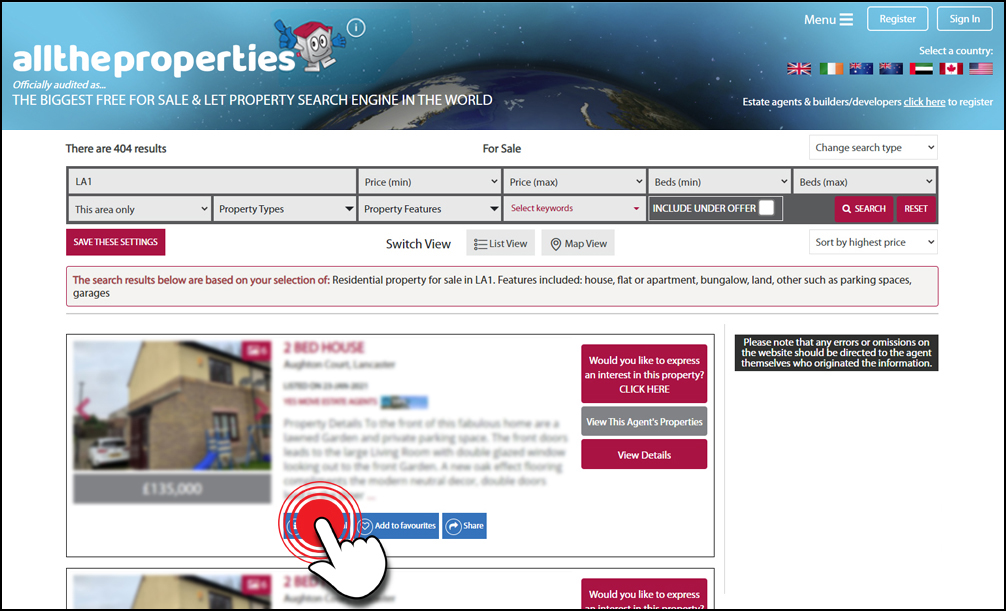
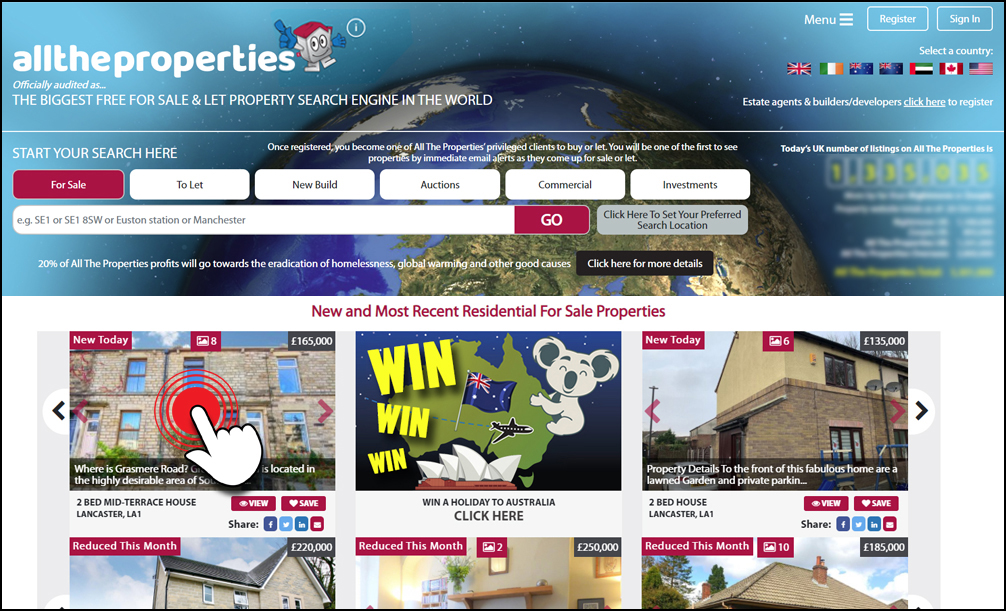
Click on any residential property that you see on our site that is for sale or to let.
Step 1: Selecting property
Step Two
On the property result profile you will find a blue ‘What’s local’ button. Click on this button to launch the information popup.
Step 2: Clicking What's local button
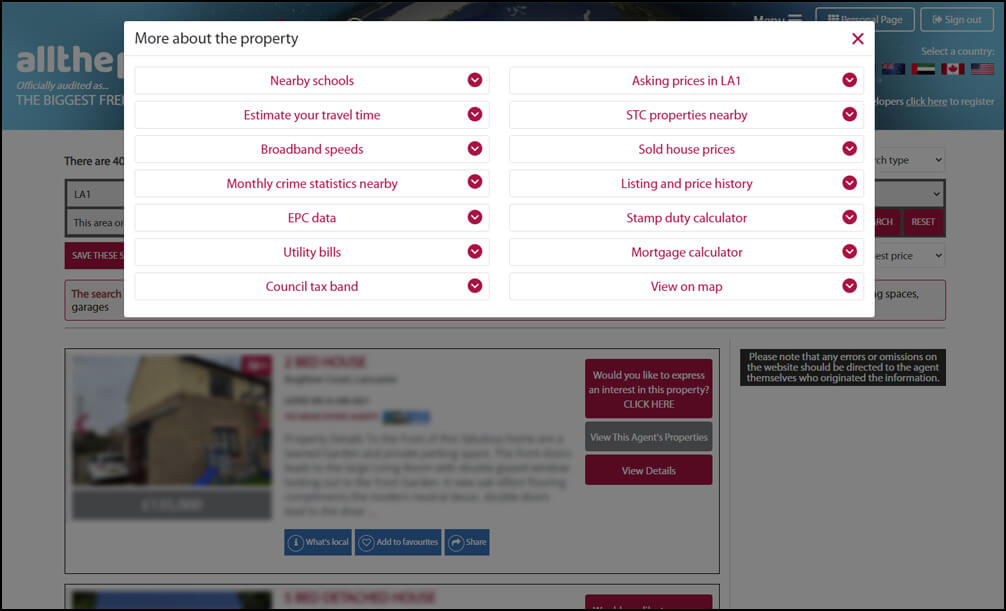
Step Three
Once the popup has appeared you will be presented with a list of categories containing information on your chosen area. In the right hand column you will see ‘Sold house prices’, click on this to reveal the results.
Step 3: Viewing information categories
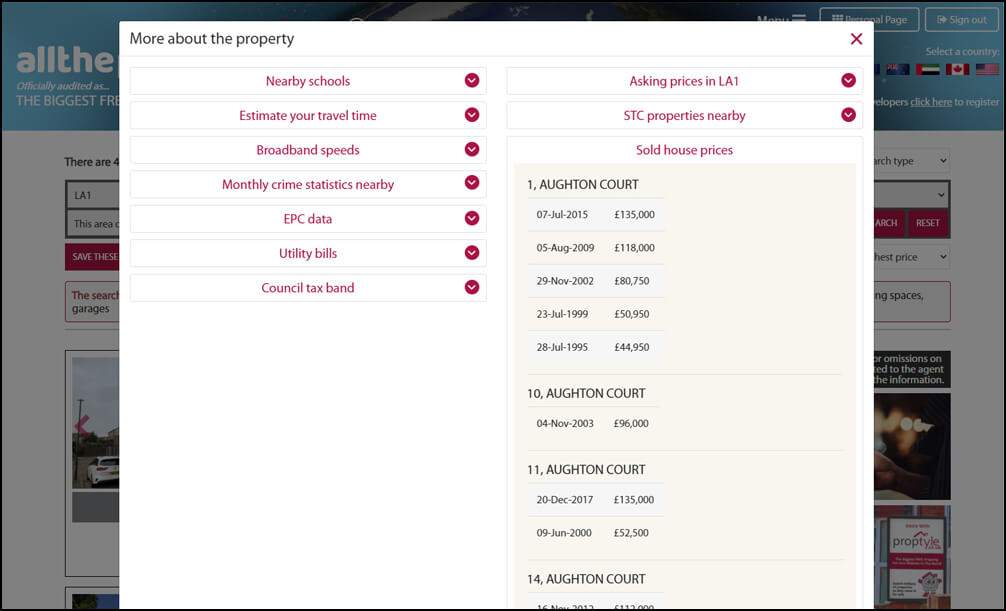
Step Four
The ‘Sold house prices’ of neighbouring properties are shown along with any historic information that may be available for these properties.
Step 4: Viewing sold prices
Win a holiday of a lifetime promotion Advert 2 Advert 3